• Shopping Cart Shopping Cart
    0Shopping Cart
GOMANOS
  • Service
  • Conversation
  • About
  • Knowledge
  • Deutsch
  • Click to open the search input field Click to open the search input field Search
  • Menu Menu

BUSINESS

Establish a strong customer feedback

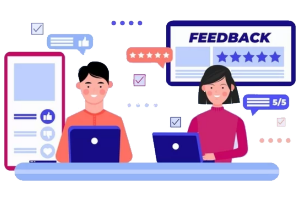
CUSTOMER FEEDBACKThe ninth step to start a digital business is to establish a strong customer feedback and improvement loop.

This step focuses on actively seeking feedback from your customers, analyzing it, and using the insights gained to continuously improve your products, services, and overall customer experience. By establishing a robust feedback and improvement loop, you demonstrate your commitment to continuously enhancing your offerings and delivering a superior customer experience. Actively listening to your customers, making data-driven decisions, and implementing changes based on their feedback can significantly contribute to the long-term success of your digital business.

WE MAKE BUSINESS 99% EASIER!
We’re ready to get started when you are.

START HERE

Analyze and Organize Feedback

Set up feedback collection mechanisms to gather insights from your customers. This can include customer surveys, online feedback forms, social media listening, customer reviews, or direct communication channels like email or live chat. Encourage customers to provide feedback by offering incentives or demonstrating that you value their opinions.

Regularly analyze the feedback collected from your customers. Categorize the feedback by themes or topics to identify patterns, common issues, or areas for improvement. Use feedback management tools or customer relationship management (CRM) systems to organize and track customer feedback effectively.

Implement Continuous Improvement Processes

Prioritize the feedback based on its impact and relevance to your business. Identify critical issues that need immediate attention and address them promptly. This demonstrates your commitment to customer satisfaction and builds trust. Create action plans to resolve issues and communicate the steps you’re taking to address customer concerns.

Use the insights gained from customer feedback to drive continuous improvement. Develop processes and protocols to incorporate it into your decision-making and product development cycles. Regularly review and refine your products, services, and customer experience based on customer insights.

Foster Customer Engagement and Co-Creation

Inform your customers about the improvements or changes you have made based on their feedback. Show transparency by sharing how their feedback has influenced your decision-making and explain the benefits of the updates. This demonstrates that you value their input and enhances their engagement with your business.

Engage your customers in co-creation efforts by involving them in the development or enhancement of your products or services. Seek their input, opinions, and suggestions through focus groups, beta testing, or online communities. This not only strengthens customer relationships but also leads to innovations that better meet their needs.

Monitor Online Reputation

Provide training and resources to your team members on effectively handling customer feedback. Equip them with the skills and knowledge to address customer concerns, provide timely responses, and actively seek feedback. Develop a customer-centric culture within your organization.

Regularly monitor your online reputation through social media listening tools, online review platforms, or Google Alerts. Respond promptly to customer reviews or feedback, both positive and negative. Engage in constructive dialogue, demonstrate empathy, and resolve issues publicly whenever possible. This helps maintain a positive brand image and fosters trust among potential customers.

Highlight customer success stories and share testimonials to showcase the positive impact your business has made. This not only reinforces the value of your products or services but also encourages customer loyalty and advocacy.

WE MAKE BUSINESS 99% EASIER!

We’re ready to get started when you are.

MORE THOUGHTS …

Copyright Website Risks

Copyright Website Risks: 5 Critical Mistakes Most Site Owners Ignore

https://gomanos.com/wp-content/uploads/2026/02/copyright-website-risks.png 400 600 GOMANOS https://gomanos.com/wp-content/uploads/2026/09/logo-top_260904-340.png GOMANOS2026-02-25 12:58:562026-02-27 14:01:47Copyright Website Risks: 5 Critical Mistakes Most Site Owners Ignore
Copyright Website

Copyright Website Guide: 6 Essential Rules Every Site Owner Should Know

https://gomanos.com/wp-content/uploads/2026/02/copyright-website.png 400 600 GOMANOS https://gomanos.com/wp-content/uploads/2026/09/logo-top_260904-340.png GOMANOS2026-02-24 13:40:522026-02-27 14:09:39Copyright Website Guide: 6 Essential Rules Every Site Owner Should Know
Web Push Notifications

Understanding Web Push Notifications: 7 Core Features for Website Owners

https://gomanos.com/wp-content/uploads/2026/02/web-push-notifications.png 400 600 GOMANOS https://gomanos.com/wp-content/uploads/2026/09/logo-top_260904-340.png GOMANOS2026-02-18 14:27:192026-02-18 14:32:02Understanding Web Push Notifications: 7 Core Features for Website Owners
Digital Independence

Digital Independence: 5 Powerful & Inspiring Steps to Own Your Website

https://gomanos.com/wp-content/uploads/2025/11/Digital-Independence.jpg 315 600 GOMANOS https://gomanos.com/wp-content/uploads/2026/09/logo-top_260904-340.png GOMANOS2025-11-04 05:10:072026-11-04 10:42:39Digital Independence: 5 Powerful & Inspiring Steps to Own Your Website

Member-Area

Register

More Business

  • Copyright Website Risks
    Copyright Website Risks: 5 Critical Mistakes Most Site Owners Ignore
  • Copyright Website
    Copyright Website Guide: 6 Essential Rules Every Site Owner Should Know
  • Web Push Notifications
    Understanding Web Push Notifications: 7 Core Features for Website Owners
  • Digital Independence
    Digital Independence: 5 Powerful & Inspiring Steps to Own Your Website
  • How to Find New Clients
    10 Proven Tips on How to Find New Clients fast
  • Newsletter Marketing
    Newsletter Marketing: 6 Secure Strategies for Sustainable, Independent Communication
  • Website ROI
    Understanding Website ROI: 4 Key Indicators That Influence Website Performance
  • RSS-FEED
    RSS-FEED
  • Online Marketing Services
    ONLINE MARKETING STRATEGY

FREE E-BOOK MARKETING

E-Book Marketing

FREE DOWNLOAD
© 2007–2026 GOMANOS | DIGITAL-BUSINESS
  • Privacy Policy
  • Terms of Use / Disclaimer
Link to: BUSINESS PROCESSES Link to: BUSINESS PROCESSES BUSINESS PROCESSESBUSINESS PROCESSES Link to: SCALE AND GROW Link to: SCALE AND GROW SCALE AND GROWSCALE AND GROW
Scroll to top Scroll to top Scroll to top

This site uses cookies. By continuing to browse the site, you are agreeing to our use of cookies.

AcceptSettings

Cookie and Privacy Settings


How we use cookies

We may request cookies to be set on your device. We use cookies to let us know when you visit our websites, how you interact with us, to enrich your user experience, and to customize your relationship with our website.

Click on the different category headings to find out more. You can also change some of your preferences. Note that blocking some types of cookies may impact your experience on our websites and the services we are able to offer.

Essential Website Cookies

These cookies are strictly necessary to provide you with services available through our website and to use some of its features.

Because these cookies are strictly necessary to deliver the website, refusing them will have impact how our site functions. You always can block or delete cookies by changing your browser settings and force blocking all cookies on this website. But this will always prompt you to accept/refuse cookies when revisiting our site.

We fully respect if you want to refuse cookies but to avoid asking you again and again kindly allow us to store a cookie for that. You are free to opt out any time or opt in for other cookies to get a better experience. If you refuse cookies we will remove all set cookies in our domain.

We provide you with a list of stored cookies on your computer in our domain so you can check what we stored. Due to security reasons we are not able to show or modify cookies from other domains. You can check these in your browser security settings.

Google Analytics Cookies

These cookies collect information that is used either in aggregate form to help us understand how our website is being used or how effective our marketing campaigns are, or to help us customize our website and application for you in order to enhance your experience.

If you do not want that we track your visit to our site you can disable tracking in your browser here:

Other external services

We also use different external services like Google Webfonts, Google Maps, and external Video providers. Since these providers may collect personal data like your IP address we allow you to block them here. Please be aware that this might heavily reduce the functionality and appearance of our site. Changes will take effect once you reload the page.

Google Webfont Settings:

Google Map Settings:

Google reCaptcha Settings:

Vimeo and Youtube video embeds:

Privacy Policy

You can read about our cookies and privacy settings in detail on our Privacy Policy Page.

Accept settings
Accessibility
Accessibility modes
Epilepsy Safe Mode
Dampens color and removes blinks
This mode enables people with epilepsy to use the website safely by eliminating the risk of seizures that result from flashing or blinking animations and risky color combinations.
Visually Impaired Mode
Improves website's visuals
This mode adjusts the website for the convenience of users with visual impairments such as Degrading Eyesight, Tunnel Vision, Cataract, Glaucoma, and others.
Cognitive Disability Mode
Helps to focus on specific content
This mode provides different assistive options to help users with cognitive impairments such as Dyslexia, Autism, CVA, and others, to focus on the essential elements of the website more easily.
ADHD Friendly Mode
Reduces distractions and improve focus
This mode helps users with ADHD and Neurodevelopmental disorders to read, browse, and focus on the main website elements more easily while significantly reducing distractions.
Blindness Mode
Allows using the site with your screen-reader
This mode configures the website to be compatible with screen-readers such as JAWS, NVDA, VoiceOver, and TalkBack. A screen-reader is software for blind users that is installed on a computer and smartphone, and websites must be compatible with it.
Online Dictionary
    Readable Experience
    Content Scaling
    Default
    Text Magnifier
    Readable Font
    Dyslexia Friendly
    Highlight Titles
    Highlight Links
    Font Sizing
    Default
    Line Height
    Default
    Letter Spacing
    Default
    Left Aligned
    Center Aligned
    Right Aligned
    Visually Pleasing Experience
    Dark Contrast
    Light Contrast
    Monochrome
    High Contrast
    High Saturation
    Low Saturation
    Adjust Text Colors
    Adjust Title Colors
    Adjust Background Colors
    Easy Orientation
    Mute Sounds
    Hide Images
    Hide Emoji
    Reading Guide
    Stop Animations
    Reading Mask
    Highlight Hover
    Highlight Focus
    Big Dark Cursor
    Big Light Cursor
    Cognitive Reading
    Virtual Keyboard
    Navigation Keys
    Voice Navigation

    GOMANOS

    Accessibility Statement

    • gomanos.com
    • November 16, 2026

    Compliance status

    We firmly believe that the internet should be available and accessible to anyone, and are committed to providing a website that is accessible to the widest possible audience, regardless of circumstance and ability.

    To fulfill this, we aim to adhere as strictly as possible to the World Wide Web Consortium’s (W3C) Web Content Accessibility Guidelines 2.1 (WCAG 2.1) at the AA level. These guidelines explain how to make web content accessible to people with a wide array of disabilities. Complying with those guidelines helps us ensure that the website is accessible to all people: blind people, people with motor impairments, visual impairment, cognitive disabilities, and more.

    This website utilizes various technologies that are meant to make it as accessible as possible at all times. We utilize an accessibility interface that allows persons with specific disabilities to adjust the website’s UI (user interface) and design it to their personal needs.

    Additionally, the website utilizes an AI-based application that runs in the background and optimizes its accessibility level constantly. This application remediates the website’s HTML, adapts Its functionality and behavior for screen-readers used by the blind users, and for keyboard functions used by individuals with motor impairments.

    If you’ve found a malfunction or have ideas for improvement, we’ll be happy to hear from you. You can reach out to the website’s operators by using the following email

    Screen-reader and keyboard navigation

    Our website implements the ARIA attributes (Accessible Rich Internet Applications) technique, alongside various different behavioral changes, to ensure blind users visiting with screen-readers are able to read, comprehend, and enjoy the website’s functions. As soon as a user with a screen-reader enters your site, they immediately receive a prompt to enter the Screen-Reader Profile so they can browse and operate your site effectively. Here’s how our website covers some of the most important screen-reader requirements, alongside console screenshots of code examples:

    1. Screen-reader optimization: we run a background process that learns the website’s components from top to bottom, to ensure ongoing compliance even when updating the website. In this process, we provide screen-readers with meaningful data using the ARIA set of attributes. For example, we provide accurate form labels; descriptions for actionable icons (social media icons, search icons, cart icons, etc.); validation guidance for form inputs; element roles such as buttons, menus, modal dialogues (popups), and others. Additionally, the background process scans all the website’s images and provides an accurate and meaningful image-object-recognition-based description as an ALT (alternate text) tag for images that are not described. It will also extract texts that are embedded within the image, using an OCR (optical character recognition) technology. To turn on screen-reader adjustments at any time, users need only to press the Alt+1 keyboard combination. Screen-reader users also get automatic announcements to turn the Screen-reader mode on as soon as they enter the website.

      These adjustments are compatible with all popular screen readers, including JAWS and NVDA.

    2. Keyboard navigation optimization: The background process also adjusts the website’s HTML, and adds various behaviors using JavaScript code to make the website operable by the keyboard. This includes the ability to navigate the website using the Tab and Shift+Tab keys, operate dropdowns with the arrow keys, close them with Esc, trigger buttons and links using the Enter key, navigate between radio and checkbox elements using the arrow keys, and fill them in with the Spacebar or Enter key.Additionally, keyboard users will find quick-navigation and content-skip menus, available at any time by clicking Alt+1, or as the first elements of the site while navigating with the keyboard. The background process also handles triggered popups by moving the keyboard focus towards them as soon as they appear, and not allow the focus drift outside it.

      Users can also use shortcuts such as “M” (menus), “H” (headings), “F” (forms), “B” (buttons), and “G” (graphics) to jump to specific elements.

    Disability profiles supported in our website

    • Epilepsy Safe Mode: this profile enables people with epilepsy to use the website safely by eliminating the risk of seizures that result from flashing or blinking animations and risky color combinations.
    • Visually Impaired Mode: this mode adjusts the website for the convenience of users with visual impairments such as Degrading Eyesight, Tunnel Vision, Cataract, Glaucoma, and others.
    • Cognitive Disability Mode: this mode provides different assistive options to help users with cognitive impairments such as Dyslexia, Autism, CVA, and others, to focus on the essential elements of the website more easily.
    • ADHD Friendly Mode: this mode helps users with ADHD and Neurodevelopmental disorders to read, browse, and focus on the main website elements more easily while significantly reducing distractions.
    • Blindness Mode: this mode configures the website to be compatible with screen-readers such as JAWS, NVDA, VoiceOver, and TalkBack. A screen-reader is software for blind users that is installed on a computer and smartphone, and websites must be compatible with it.
    • Keyboard Navigation Profile (Motor-Impaired): this profile enables motor-impaired persons to operate the website using the keyboard Tab, Shift+Tab, and the Enter keys. Users can also use shortcuts such as “M” (menus), “H” (headings), “F” (forms), “B” (buttons), and “G” (graphics) to jump to specific elements.

    Additional UI, design, and readability adjustments

    1. Font adjustments – users, can increase and decrease its size, change its family (type), adjust the spacing, alignment, line height, and more.
    2. Color adjustments – users can select various color contrast profiles such as light, dark, inverted, and monochrome. Additionally, users can swap color schemes of titles, texts, and backgrounds, with over seven different coloring options.
    3. Animations – person with epilepsy can stop all running animations with the click of a button. Animations controlled by the interface include videos, GIFs, and CSS flashing transitions.
    4. Content highlighting – users can choose to emphasize important elements such as links and titles. They can also choose to highlight focused or hovered elements only.
    5. Audio muting – users with hearing devices may experience headaches or other issues due to automatic audio playing. This option lets users mute the entire website instantly.
    6. Cognitive disorders – we utilize a search engine that is linked to Wikipedia and Wiktionary, allowing people with cognitive disorders to decipher meanings of phrases, initials, slang, and others.
    7. Additional functions – we provide users the option to change cursor color and size, use a printing mode, enable a virtual keyboard, and many other functions.

    Browser and assistive technology compatibility

    We aim to support the widest array of browsers and assistive technologies as possible, so our users can choose the best fitting tools for them, with as few limitations as possible. Therefore, we have worked very hard to be able to support all major systems that comprise over 95% of the user market share including Google Chrome, Mozilla Firefox, Apple Safari, Opera and Microsoft Edge, JAWS and NVDA (screen readers).

    Notes, comments, and feedback

    Despite our very best efforts to allow anybody to adjust the website to their needs. There may still be pages or sections that are not fully accessible, are in the process of becoming accessible, or are lacking an adequate technological solution to make them accessible. Still, we are continually improving our accessibility, adding, updating and improving its options and features, and developing and adopting new technologies. All this is meant to reach the optimal level of accessibility, following technological advancements. For any assistance, please reach out to