WordPress Login Problem
Kein Zugriff auf den Adminbereich

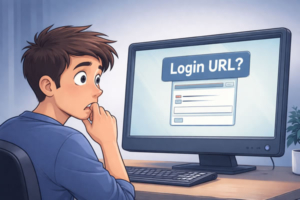
Du möchtest dich in dein WordPress-System einloggen, doch der Zugang funktioniert plötzlich nicht mehr. Ein typisches WordPress Login Problem zeigt sich genau in solchen Momenten: Das Passwort wird nicht akzeptiert, die Login-Seite lädt nicht richtig oder du landest immer wieder in einer Weiterleitungsschleife. In manchen Fällen erscheinen Fehlermeldungen wie „403 Forbidden“ oder „500 Server Error“. Was zuvor selbstverständlich war, ist auf einmal blockiert.
Der Zugriff auf den Adminbereich gehört zu den grundlegenden Funktionen eines Systems. Wenn er nicht mehr möglich ist, entsteht schnell Unsicherheit – vor allem, weil die Ursache in den meisten Fällen nicht sofort erkennbar ist.
Der fehlende Zugang ist selten die Ursache. Er ist ein Symptom. Typische Hintergründe:
Nach einem Update kann es passieren, dass Plugins nicht mehr sauber zusammenarbeiten. Ein einzelnes inkompatibles Plugin reicht aus, um den Login-Prozess zu blockieren oder Fehler auszulösen.
Wenn die PHP-Version des Servers nicht zur eingesetzten WordPress-Umgebung passt, entstehen Funktionsfehler. Der Login kann dadurch abbrechen oder gar nicht mehr erreichbar sein.
Sicherheits-Plugins oder Server-Firewalls können legitime Zugriffe als Bedrohung einstufen. Im schlimmsten Fall blockierst du dich selbst und verlierst den Zugang zum Adminbereich.
Fehler in der Datenbank können dazu führen, dass Anmeldedaten nicht korrekt verarbeitet werden. Der Login scheitert dann, obwohl Benutzername und Passwort richtig sind.
Unbefugte Zugriffe oder automatisierte Angriffe können das System verändern oder Zugänge sperren. Oft bleibt das zunächst unbemerkt, bis der Login plötzlich nicht mehr funktioniert.
Falsche Einstellungen bei URLs oder Plugins können Endlosschleifen erzeugen. Der Login wird dann ständig weitergeleitet, ohne dass ein Zugriff möglich ist.
Wenn ein WordPress Login Problem auftritt und der Zugang plötzlich nicht mehr funktioniert, ist es naheliegend, schnell eine Lösung zu suchen. Viele versuchen zunächst, den Zugriff eigenständig wiederherzustellen – zum Beispiel durch das Zurücksetzen des Passworts, Anpassungen im Hosting oder das Deaktivieren von Plugins. Diese Schritte sind verständlich und können im Einzelfall auch helfen.
Gleichzeitig besteht jedoch die Herausforderung darin, dass die eigentliche Ursache häufig nicht direkt sichtbar ist. Ohne diese Klarheit können einzelne Maßnahmen wirkungslos bleiben oder unbeabsichtigt weitere Veränderungen im System auslösen.
Statt Trial-and-Error braucht es eine klare Reihenfolge:
Wenn der Zugriff auf den Adminbereich plötzlich nicht mehr funktioniert, geht es nicht nur darum, sich schnell wieder einzuloggen. Entscheidend ist vor allem zu verstehen, weshalb der Zugang verloren gegangen ist – und sicherzustellen, dass das gleiche Problem nicht erneut auftritt. Genau an diesem Punkt setzen wir an.
Wir analysieren zunächst den tatsächlichen Auslöser und stellen den Zugang anschließend kontrolliert wieder her. Danach prüfen wir die Stabilität des Systems im Hintergrund und dokumentieren, was genau passiert ist. So entsteht nicht nur eine kurzfristige Lösung, sondern eine nachvollziehbare Grundlage, auf der das System wieder zuverlässig funktioniert.
Wenn du aktuell keinen Zugriff mehr auf dein WordPress hast, kannst du uns hier direkt kontaktieren. Beschreibe kurz, was genau passiert (z. B. Fehlermeldung, Login-Problem, Weiterleitungsschleife oder Server-Fehler). Wir melden uns so schnell wie möglich und helfen dir, den Zugang wiederherzustellen.
Gomanos is about digital clarity. We help you understand what actually matters in hosting, backups, and website setup - so you can make confident decisions.
Web Hosting
WordPress Setup
Website Security
Backups & Reliability
Performance & Speed
Hosting
Backups
Security
Optimization

Steigende Cyberangriffsrate – 4 Wege, wie KI die Angriffsaktivität e...We may request cookies to be set on your device. We use cookies to let us know when you visit our websites, how you interact with us, to enrich your user experience, and to customize your relationship with our website.
Click on the different category headings to find out more. You can also change some of your preferences. Note that blocking some types of cookies may impact your experience on our websites and the services we are able to offer.
These cookies are strictly necessary to provide you with services available through our website and to use some of its features.
Because these cookies are strictly necessary to deliver the website, refusing them will have impact how our site functions. You always can block or delete cookies by changing your browser settings and force blocking all cookies on this website. But this will always prompt you to accept/refuse cookies when revisiting our site.
We fully respect if you want to refuse cookies but to avoid asking you again and again kindly allow us to store a cookie for that. You are free to opt out any time or opt in for other cookies to get a better experience. If you refuse cookies we will remove all set cookies in our domain.
We provide you with a list of stored cookies on your computer in our domain so you can check what we stored. Due to security reasons we are not able to show or modify cookies from other domains. You can check these in your browser security settings.
These cookies collect information that is used either in aggregate form to help us understand how our website is being used or how effective our marketing campaigns are, or to help us customize our website and application for you in order to enhance your experience.
If you do not want that we track your visit to our site you can disable tracking in your browser here:
We also use different external services like Google Webfonts, Google Maps, and external Video providers. Since these providers may collect personal data like your IP address we allow you to block them here. Please be aware that this might heavily reduce the functionality and appearance of our site. Changes will take effect once you reload the page.
Google Webfont Settings:
Google Map Settings:
Google reCaptcha Settings:
Vimeo and Youtube video embeds:
You can read about our cookies and privacy settings in detail on our Privacy Policy Page.
GOMANOS
We firmly believe that the internet should be available and accessible to anyone, and are committed to providing a website that is accessible to the widest possible audience, regardless of circumstance and ability.
To fulfill this, we aim to adhere as strictly as possible to the World Wide Web Consortium’s (W3C) Web Content Accessibility Guidelines 2.1 (WCAG 2.1) at the AA level. These guidelines explain how to make web content accessible to people with a wide array of disabilities. Complying with those guidelines helps us ensure that the website is accessible to all people: blind people, people with motor impairments, visual impairment, cognitive disabilities, and more.
This website utilizes various technologies that are meant to make it as accessible as possible at all times. We utilize an accessibility interface that allows persons with specific disabilities to adjust the website’s UI (user interface) and design it to their personal needs.
Additionally, the website utilizes an AI-based application that runs in the background and optimizes its accessibility level constantly. This application remediates the website’s HTML, adapts Its functionality and behavior for screen-readers used by the blind users, and for keyboard functions used by individuals with motor impairments.
If you’ve found a malfunction or have ideas for improvement, we’ll be happy to hear from you. You can reach out to the website’s operators by using the following email
Our website implements the ARIA attributes (Accessible Rich Internet Applications) technique, alongside various different behavioral changes, to ensure blind users visiting with screen-readers are able to read, comprehend, and enjoy the website’s functions. As soon as a user with a screen-reader enters your site, they immediately receive a prompt to enter the Screen-Reader Profile so they can browse and operate your site effectively. Here’s how our website covers some of the most important screen-reader requirements, alongside console screenshots of code examples:
Screen-reader optimization: we run a background process that learns the website’s components from top to bottom, to ensure ongoing compliance even when updating the website. In this process, we provide screen-readers with meaningful data using the ARIA set of attributes. For example, we provide accurate form labels; descriptions for actionable icons (social media icons, search icons, cart icons, etc.); validation guidance for form inputs; element roles such as buttons, menus, modal dialogues (popups), and others. Additionally, the background process scans all the website’s images and provides an accurate and meaningful image-object-recognition-based description as an ALT (alternate text) tag for images that are not described. It will also extract texts that are embedded within the image, using an OCR (optical character recognition) technology. To turn on screen-reader adjustments at any time, users need only to press the Alt+1 keyboard combination. Screen-reader users also get automatic announcements to turn the Screen-reader mode on as soon as they enter the website.
These adjustments are compatible with all popular screen readers, including JAWS and NVDA.
Keyboard navigation optimization: The background process also adjusts the website’s HTML, and adds various behaviors using JavaScript code to make the website operable by the keyboard. This includes the ability to navigate the website using the Tab and Shift+Tab keys, operate dropdowns with the arrow keys, close them with Esc, trigger buttons and links using the Enter key, navigate between radio and checkbox elements using the arrow keys, and fill them in with the Spacebar or Enter key.Additionally, keyboard users will find quick-navigation and content-skip menus, available at any time by clicking Alt+1, or as the first elements of the site while navigating with the keyboard. The background process also handles triggered popups by moving the keyboard focus towards them as soon as they appear, and not allow the focus drift outside it.
Users can also use shortcuts such as “M” (menus), “H” (headings), “F” (forms), “B” (buttons), and “G” (graphics) to jump to specific elements.
We aim to support the widest array of browsers and assistive technologies as possible, so our users can choose the best fitting tools for them, with as few limitations as possible. Therefore, we have worked very hard to be able to support all major systems that comprise over 95% of the user market share including Google Chrome, Mozilla Firefox, Apple Safari, Opera and Microsoft Edge, JAWS and NVDA (screen readers).
Despite our very best efforts to allow anybody to adjust the website to their needs. There may still be pages or sections that are not fully accessible, are in the process of becoming accessible, or are lacking an adequate technological solution to make them accessible. Still, we are continually improving our accessibility, adding, updating and improving its options and features, and developing and adopting new technologies. All this is meant to reach the optimal level of accessibility, following technological advancements. For any assistance, please reach out to