
• Shopping Cart Shopping Cart
    0Shopping Cart
GOMANOS
  • Service
  • Conversation
  • About
  • Knowledge
  • Deutsch
  • Click to open the search input field Click to open the search input field Search
  • Menu Menu

BUSINESS | MARKETING

Our Online Marketing Services

Online marketing, also known as Internet or digital marketing, involves using the Internet to promote a business. The goal of online marketing is to spread awareness about a business and its products or services via the Internet.

Internet marketing encompasses a variety of different strategies, including search engine optimization (SEO), pay-per-click advertising, reputation management and both social media and content marketing. The majority of businesses today use at least one of these strategies to promote themselves. We help you find with our online marketing services your audience online, gauge the demand for your services or products, then take advantage of that demand. We are comprehensive in the sense that we not only bring you relevant traffic, we can also help you make the most of that traffic.

Search Engine Optimization

Thousands of searches are conducted every second for your products or services. With search engine optimization, you can become a primary destination for this demand. With the recent Panda 4.0 Google algorithm update, SEO is beginning to change in 2014. Changing best practices, keywords and relevancy are just some of the issues businesses now face. It is important to keep up with the latest trends in the space so that your business doesn’t find itself on the wrong side of a Google manual penalty that keeps you from showing up in Google’s organic results.

Social Media Marketing

Your audience is spending an increasing amount of time online. Older demographics are going online now, too. How are you reaching them in this new environment? BUT – Having a presence on Facebook and Twitter is no longer sufficient to provide any source of competitive advantage for companies — not when all of their competitors have a presence on Facebook and Twitter, too. Monitoring social media chatter and sentiment won’t provide any competitive advantage on its own, because all your competitors are monitoring the same content as you and can derive the same insights.

Email Marketing

Increase your response rate from mass mailings, improve the targeting of your emails, and reduce spam reports by using professional email marketing services. Email marketing is still very effective when done correctly, but many businesses are watching their open rate tank because of careless mistakes. A low open rate produces a low click through rate, and that ultimately results in a low conversion rate. Low conversions mean low revenue, so it is important to make sure that your business is not making any common email marketing mistakes.

Pay-Per-Click Marketing

Pick your budget, your keywords, your geography, and times of day, then let the traffic flow to your website. We help you optimize your campaign to make it as profitable as possible. As companies struggle with keep up with the latest trends in digital marketing they now heavily rely on online pay-per-click marketing to get their brands and products noticed. The pay-per-click (or PPC) marketing method is fairly straight forward as it is exactly what it says it is. For example, when you go to a search engine and type in an inquiry such as “German lawyers” you will see several ads pop up at the top of the page and the side of the page.

Online Reputation Management

Online Reputation Management, or ORM, can be thought of simply as SEO combined with online public relations and social monitoring – how you or your brand is perceived online. Whether you take a proactive approach or in need of repairing a negative online perception of your company, we can help improve your reputation, online. First, we’ll think about some key aspects of online reputation management. If someone has never heard of your brand before, what type of impression are they greeted with online? Seeing how users find and interact with your site is a step toward understanding your online reputation.

Conversion Optimization

To increase the percentage of visitors to your website who take an action such as purchase or request consultation (aka “conversions”), we perform conversion optimization. Conversion optimization is universally recognized as key to measuring and maximizing return on brand investment. But companies of all sizes, B2B and B2C, in all vertical industries and geographies, are struggling to implement conversion rate optimization (CRO) programs, hampered for example by lack of technology and creative resources, skilled employees and financial resources.

Has Marketing been unprofitable for your business?

We’ll uncover why.

2 + 2 = ?

We will contact you within one business day.

MORE BUSINESS…

Copyright Website Risks

Copyright Website Risks: 5 Critical Mistakes Most Site Owners Ignore

https://gomanos.com/wp-content/uploads/2026/02/copyright-website-risks.png 400 600 GOMANOS https://gomanos.com/wp-content/uploads/2026/09/logo-top_260904-340.png GOMANOS2026-02-25 12:58:562026-02-27 14:01:47Copyright Website Risks: 5 Critical Mistakes Most Site Owners Ignore
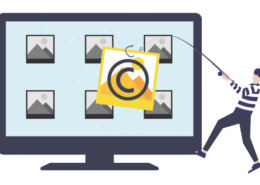
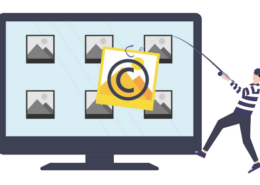
Copyright Website

Copyright Website Guide: 6 Essential Rules Every Site Owner Should Know

https://gomanos.com/wp-content/uploads/2026/02/copyright-website.png 400 600 GOMANOS https://gomanos.com/wp-content/uploads/2026/09/logo-top_260904-340.png GOMANOS2026-02-24 13:40:522026-02-27 14:09:39Copyright Website Guide: 6 Essential Rules Every Site Owner Should Know
Web Push Notifications

Understanding Web Push Notifications: 7 Core Features for Website Owners

https://gomanos.com/wp-content/uploads/2026/02/web-push-notifications.png 400 600 GOMANOS https://gomanos.com/wp-content/uploads/2026/09/logo-top_260904-340.png GOMANOS2026-02-18 14:27:192026-02-18 14:32:02Understanding Web Push Notifications: 7 Core Features for Website Owners
Digital Independence

Digital Independence: 5 Powerful & Inspiring Steps to Own Your Website

https://gomanos.com/wp-content/uploads/2025/11/Digital-Independence.jpg 315 600 GOMANOS https://gomanos.com/wp-content/uploads/2026/09/logo-top_260904-340.png GOMANOS2025-11-04 05:10:072026-11-04 10:42:39Digital Independence: 5 Powerful & Inspiring Steps to Own Your Website

Member-Area

Register

More Business

  • Copyright Website Risks
    Copyright Website Risks: 5 Critical Mistakes Most Site Owners Ignore
  • Copyright Website
    Copyright Website Guide: 6 Essential Rules Every Site Owner Should Know
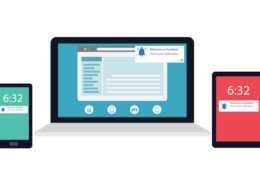
  • Web Push Notifications
    Understanding Web Push Notifications: 7 Core Features for Website Owners
  • Digital Independence
    Digital Independence: 5 Powerful & Inspiring Steps to Own Your Website
  • How to Find New Clients
    10 Proven Tips on How to Find New Clients fast
  • Newsletter Marketing
    Newsletter Marketing: 6 Secure Strategies for Sustainable, Independent Communication
  • Website ROI
    Understanding Website ROI: 4 Key Indicators That Influence Website Performance
  • RSS-FEED
    RSS-FEED
  • Online Marketing Services
    ONLINE MARKETING STRATEGY

FREE E-BOOK MARKETING

E-Book Marketing

FREE DOWNLOAD
© 2007–2026 GOMANOS | DIGITAL-BUSINESS
  • Privacy Policy
  • Terms of Use / Disclaimer
Link to: Make Sure Your Website Stays Up To Date Link to: Make Sure Your Website Stays Up To Date Make Sure Your Website Stays Up To DateWebsite Stays Up To Date Link to: Optimize your Title Tags Link to: Optimize your Title Tags Title TagsOptimize your Title Tags
Scroll to top Scroll to top Scroll to top

This site uses cookies. By continuing to browse the site, you are agreeing to our use of cookies.

AcceptSettings

Cookie and Privacy Settings


How we use cookies

We may request cookies to be set on your device. We use cookies to let us know when you visit our websites, how you interact with us, to enrich your user experience, and to customize your relationship with our website.

Click on the different category headings to find out more. You can also change some of your preferences. Note that blocking some types of cookies may impact your experience on our websites and the services we are able to offer.

Essential Website Cookies

These cookies are strictly necessary to provide you with services available through our website and to use some of its features.

Because these cookies are strictly necessary to deliver the website, refusing them will have impact how our site functions. You always can block or delete cookies by changing your browser settings and force blocking all cookies on this website. But this will always prompt you to accept/refuse cookies when revisiting our site.

We fully respect if you want to refuse cookies but to avoid asking you again and again kindly allow us to store a cookie for that. You are free to opt out any time or opt in for other cookies to get a better experience. If you refuse cookies we will remove all set cookies in our domain.

We provide you with a list of stored cookies on your computer in our domain so you can check what we stored. Due to security reasons we are not able to show or modify cookies from other domains. You can check these in your browser security settings.

Google Analytics Cookies

These cookies collect information that is used either in aggregate form to help us understand how our website is being used or how effective our marketing campaigns are, or to help us customize our website and application for you in order to enhance your experience.

If you do not want that we track your visit to our site you can disable tracking in your browser here:

Other external services

We also use different external services like Google Webfonts, Google Maps, and external Video providers. Since these providers may collect personal data like your IP address we allow you to block them here. Please be aware that this might heavily reduce the functionality and appearance of our site. Changes will take effect once you reload the page.

Google Webfont Settings:

Google Map Settings:

Google reCaptcha Settings:

Vimeo and Youtube video embeds:

Privacy Policy

You can read about our cookies and privacy settings in detail on our Privacy Policy Page.

Accept settings
Accessibility
Accessibility modes
Epilepsy Safe Mode
Dampens color and removes blinks
This mode enables people with epilepsy to use the website safely by eliminating the risk of seizures that result from flashing or blinking animations and risky color combinations.
Visually Impaired Mode
Improves website's visuals
This mode adjusts the website for the convenience of users with visual impairments such as Degrading Eyesight, Tunnel Vision, Cataract, Glaucoma, and others.
Cognitive Disability Mode
Helps to focus on specific content
This mode provides different assistive options to help users with cognitive impairments such as Dyslexia, Autism, CVA, and others, to focus on the essential elements of the website more easily.
ADHD Friendly Mode
Reduces distractions and improve focus
This mode helps users with ADHD and Neurodevelopmental disorders to read, browse, and focus on the main website elements more easily while significantly reducing distractions.
Blindness Mode
Allows using the site with your screen-reader
This mode configures the website to be compatible with screen-readers such as JAWS, NVDA, VoiceOver, and TalkBack. A screen-reader is software for blind users that is installed on a computer and smartphone, and websites must be compatible with it.
Online Dictionary
    Readable Experience
    Content Scaling
    Default
    Text Magnifier
    Readable Font
    Dyslexia Friendly
    Highlight Titles
    Highlight Links
    Font Sizing
    Default
    Line Height
    Default
    Letter Spacing
    Default
    Left Aligned
    Center Aligned
    Right Aligned
    Visually Pleasing Experience
    Dark Contrast
    Light Contrast
    Monochrome
    High Contrast
    High Saturation
    Low Saturation
    Adjust Text Colors
    Adjust Title Colors
    Adjust Background Colors
    Easy Orientation
    Mute Sounds
    Hide Images
    Hide Emoji
    Reading Guide
    Stop Animations
    Reading Mask
    Highlight Hover
    Highlight Focus
    Big Dark Cursor
    Big Light Cursor
    Cognitive Reading
    Virtual Keyboard
    Navigation Keys
    Voice Navigation

    GOMANOS

    Accessibility Statement

    • gomanos.com
    • November 16, 2026

    Compliance status

    We firmly believe that the internet should be available and accessible to anyone, and are committed to providing a website that is accessible to the widest possible audience, regardless of circumstance and ability.

    To fulfill this, we aim to adhere as strictly as possible to the World Wide Web Consortium’s (W3C) Web Content Accessibility Guidelines 2.1 (WCAG 2.1) at the AA level. These guidelines explain how to make web content accessible to people with a wide array of disabilities. Complying with those guidelines helps us ensure that the website is accessible to all people: blind people, people with motor impairments, visual impairment, cognitive disabilities, and more.

    This website utilizes various technologies that are meant to make it as accessible as possible at all times. We utilize an accessibility interface that allows persons with specific disabilities to adjust the website’s UI (user interface) and design it to their personal needs.

    Additionally, the website utilizes an AI-based application that runs in the background and optimizes its accessibility level constantly. This application remediates the website’s HTML, adapts Its functionality and behavior for screen-readers used by the blind users, and for keyboard functions used by individuals with motor impairments.

    If you’ve found a malfunction or have ideas for improvement, we’ll be happy to hear from you. You can reach out to the website’s operators by using the following email

    Screen-reader and keyboard navigation

    Our website implements the ARIA attributes (Accessible Rich Internet Applications) technique, alongside various different behavioral changes, to ensure blind users visiting with screen-readers are able to read, comprehend, and enjoy the website’s functions. As soon as a user with a screen-reader enters your site, they immediately receive a prompt to enter the Screen-Reader Profile so they can browse and operate your site effectively. Here’s how our website covers some of the most important screen-reader requirements, alongside console screenshots of code examples:

    1. Screen-reader optimization: we run a background process that learns the website’s components from top to bottom, to ensure ongoing compliance even when updating the website. In this process, we provide screen-readers with meaningful data using the ARIA set of attributes. For example, we provide accurate form labels; descriptions for actionable icons (social media icons, search icons, cart icons, etc.); validation guidance for form inputs; element roles such as buttons, menus, modal dialogues (popups), and others. Additionally, the background process scans all the website’s images and provides an accurate and meaningful image-object-recognition-based description as an ALT (alternate text) tag for images that are not described. It will also extract texts that are embedded within the image, using an OCR (optical character recognition) technology. To turn on screen-reader adjustments at any time, users need only to press the Alt+1 keyboard combination. Screen-reader users also get automatic announcements to turn the Screen-reader mode on as soon as they enter the website.

      These adjustments are compatible with all popular screen readers, including JAWS and NVDA.

    2. Keyboard navigation optimization: The background process also adjusts the website’s HTML, and adds various behaviors using JavaScript code to make the website operable by the keyboard. This includes the ability to navigate the website using the Tab and Shift+Tab keys, operate dropdowns with the arrow keys, close them with Esc, trigger buttons and links using the Enter key, navigate between radio and checkbox elements using the arrow keys, and fill them in with the Spacebar or Enter key.Additionally, keyboard users will find quick-navigation and content-skip menus, available at any time by clicking Alt+1, or as the first elements of the site while navigating with the keyboard. The background process also handles triggered popups by moving the keyboard focus towards them as soon as they appear, and not allow the focus drift outside it.

      Users can also use shortcuts such as “M” (menus), “H” (headings), “F” (forms), “B” (buttons), and “G” (graphics) to jump to specific elements.

    Disability profiles supported in our website

    • Epilepsy Safe Mode: this profile enables people with epilepsy to use the website safely by eliminating the risk of seizures that result from flashing or blinking animations and risky color combinations.
    • Visually Impaired Mode: this mode adjusts the website for the convenience of users with visual impairments such as Degrading Eyesight, Tunnel Vision, Cataract, Glaucoma, and others.
    • Cognitive Disability Mode: this mode provides different assistive options to help users with cognitive impairments such as Dyslexia, Autism, CVA, and others, to focus on the essential elements of the website more easily.
    • ADHD Friendly Mode: this mode helps users with ADHD and Neurodevelopmental disorders to read, browse, and focus on the main website elements more easily while significantly reducing distractions.
    • Blindness Mode: this mode configures the website to be compatible with screen-readers such as JAWS, NVDA, VoiceOver, and TalkBack. A screen-reader is software for blind users that is installed on a computer and smartphone, and websites must be compatible with it.
    • Keyboard Navigation Profile (Motor-Impaired): this profile enables motor-impaired persons to operate the website using the keyboard Tab, Shift+Tab, and the Enter keys. Users can also use shortcuts such as “M” (menus), “H” (headings), “F” (forms), “B” (buttons), and “G” (graphics) to jump to specific elements.

    Additional UI, design, and readability adjustments

    1. Font adjustments – users, can increase and decrease its size, change its family (type), adjust the spacing, alignment, line height, and more.
    2. Color adjustments – users can select various color contrast profiles such as light, dark, inverted, and monochrome. Additionally, users can swap color schemes of titles, texts, and backgrounds, with over seven different coloring options.
    3. Animations – person with epilepsy can stop all running animations with the click of a button. Animations controlled by the interface include videos, GIFs, and CSS flashing transitions.
    4. Content highlighting – users can choose to emphasize important elements such as links and titles. They can also choose to highlight focused or hovered elements only.
    5. Audio muting – users with hearing devices may experience headaches or other issues due to automatic audio playing. This option lets users mute the entire website instantly.
    6. Cognitive disorders – we utilize a search engine that is linked to Wikipedia and Wiktionary, allowing people with cognitive disorders to decipher meanings of phrases, initials, slang, and others.
    7. Additional functions – we provide users the option to change cursor color and size, use a printing mode, enable a virtual keyboard, and many other functions.

    Browser and assistive technology compatibility

    We aim to support the widest array of browsers and assistive technologies as possible, so our users can choose the best fitting tools for them, with as few limitations as possible. Therefore, we have worked very hard to be able to support all major systems that comprise over 95% of the user market share including Google Chrome, Mozilla Firefox, Apple Safari, Opera and Microsoft Edge, JAWS and NVDA (screen readers).

    Notes, comments, and feedback

    Despite our very best efforts to allow anybody to adjust the website to their needs. There may still be pages or sections that are not fully accessible, are in the process of becoming accessible, or are lacking an adequate technological solution to make them accessible. Still, we are continually improving our accessibility, adding, updating and improving its options and features, and developing and adopting new technologies. All this is meant to reach the optimal level of accessibility, following technological advancements. For any assistance, please reach out to