WordPress Backup Zuverlässigkeit
3 teure und kritische Illusionen

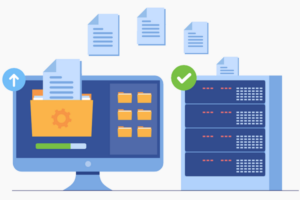
WordPress-Backups gelten für viele Website-Betreiber als technisches Sicherheitsnetz. Einmal eingerichtet, automatisiert, scheinbar zuverlässig – und damit „erledigt“. Genau hier beginnt jedoch das Problem. WordPress Backup Zuverlässigkeit wird häufig angenommen, aber nur selten realistisch bewertet.
In der Praxis zeigt sich immer wieder: Websites fallen nicht aus, weil keine Backups existieren, sondern weil falsche Annahmen über deren Funktion, Qualität und Wiederherstellbarkeit getroffen werden. Diese Fehleinschätzungen führen zu Datenverlust, langen Ausfallzeiten und unnötigen Kosten. Der folgende Artikel beleuchtet drei teure und kritische Illusionen, die immer wieder zu gravierenden Website Backup Fehlern führen.
Diese Annahme ist weit verbreitet und gleichzeitig eine der gefährlichsten. Viele Website-Betreiber installieren ein Backup-Plugin, aktivieren automatische Sicherungen und verlassen sich anschließend auf grüne Statusanzeigen oder kurze Bestätigungs-E-Mails. Das vermittelt Sicherheit – sagt aber nichts über die tatsächliche Qualität der WordPress Backups aus.
In der Realität sind viele Sicherungen unvollständig, technisch fehlerhaft oder so gespeichert, dass sie im Ernstfall nicht erreichbar sind.
Ein besonders kritischer WordPress Backup Fehler ist die Speicherung aller Backups auf demselben Server, auf dem auch die Website selbst läuft. Kommt es zu einem Serverausfall, einem Hack oder einem Hosting-Problem, sind Website und Backup gleichzeitig betroffen. WordPress Backup Zuverlässigkeit bedeutet nicht, dass Backups existieren, sondern dass sie unabhängig, erreichbar und nutzbar sind.
Ein Backup, das sich nicht zuverlässig wiederherstellen lässt, ist wertlos. Viele Website-Betreiber testen ihre Backups nie. Erst im Ernstfall wird sichtbar, dass:
Besonders problematisch ist, dass viele Website Backups Dateien und Datenbank getrennt sichern, ohne eine klare Zuordnung oder Dokumentation. Das Ergebnis ist oft eine Website, die technisch „online“ ist, aber funktional nicht nutzbar. Echte WordPress Backup Zuverlässigkeit zeigt sich ausschließlich im erfolgreichen Restore – nicht in einem Backup-Log oder Plugin-Dashboard.
Automatisierung ist bequem, aber kein Ersatz für Verantwortung. Automatische WordPress Backups laufen im Hintergrund und erzeugen leicht den Eindruck, dass sich „das System schon kümmert“. Doch Updates, Serverlast, Speicherlimits oder Plugin-Konflikte können dazu führen, dass Backups fehlschlagen oder beschädigt gespeichert werden – oft ohne klare Warnung. Ein klassischer WordPress Backup Fehler ist blindes Vertrauen in Automatisierung: „Wenn etwas nicht funktioniert, bekomme ich schon eine Meldung.“
In der Praxis passiert genau das häufig nicht. Noch kritischer: Automatische Prozesse überschreiben oft funktionierende Backups mit fehlerhaften Versionen. So geht schleichend die letzte funktionierende Sicherung verloren – ohne dass es jemand bemerkt.
Zuverlässige Backups sind kein Plugin-Feature, sondern ein durchdachtes System. Sie erfüllen alle folgenden Kriterien:
Erst wenn diese Punkte erfüllt sind, kann von echter WordPress Backup Zuverlässigkeit gesprochen werden – unabhängig davon, welches Tool eingesetzt wird.
Die meisten Schäden entstehen nicht sofort, sondern zeitverzögert. Fehlerhafte Backups fallen oft erst dann auf, wenn sie dringend benötigt werden. Zu diesem Zeitpunkt sind oft aktuelle Inhalte bereits verloren, Kunden oder Nutzer betroffen, Suchmaschinen-Rankings gefährdet und der Zeitdruck extrem hoch
Je größer die Website und je abhängiger das Geschäftsmodell von ihr ist, desto teurer werden diese Fehler. Backup-Probleme sind deshalb kein technisches Detail, sondern ein unternehmerisches Risiko.
Die größte Gefahr ist nicht ein defektes Backup, sondern das Gefühl, vorbereitet zu sein, obwohl man es nicht ist. Viele Website-Ausfälle passieren nicht, weil niemand WordPress Backups hatte, sondern weil Backups nie überprüft wurden, Wiederherstellungsprozesse unbekannt waren oder Zuständigkeiten unklar blieben. Backups sind kein einmaliges Setup, sondern ein laufender Prozess, der Aufmerksamkeit, Kontrolle und regelmäßige Überprüfung erfordert.
WordPress Backups sind kein Häkchen auf einer Checkliste. Sie sind Teil einer Sicherheitsstrategie, die regelmäßig hinterfragt und angepasst werden muss. Wenn du dich auf Backups verlässt, ohne ihre Zuverlässigkeit realistisch zu prüfen, verlässt du dich auf Hoffnung – nicht auf Sicherheit. Und Hoffnung ist kein Backup. Wer diese drei Illusionen erkennt und konsequent vermeidet, schützt nicht nur seine Daten, sondern gewinnt langfristig Kontrolle, Stabilität und echte Sicherheit für seine WordPress-Website.
We are Freelance Web Designer, driven to get your company better results online. You get strategy, design, development & marketing all under one roof.

Digitale Barrierefreiheit: 5 WCAG-Richtlinien, Usability und warum sie entscheidend...We may request cookies to be set on your device. We use cookies to let us know when you visit our websites, how you interact with us, to enrich your user experience, and to customize your relationship with our website.
Click on the different category headings to find out more. You can also change some of your preferences. Note that blocking some types of cookies may impact your experience on our websites and the services we are able to offer.
These cookies are strictly necessary to provide you with services available through our website and to use some of its features.
Because these cookies are strictly necessary to deliver the website, refusing them will have impact how our site functions. You always can block or delete cookies by changing your browser settings and force blocking all cookies on this website. But this will always prompt you to accept/refuse cookies when revisiting our site.
We fully respect if you want to refuse cookies but to avoid asking you again and again kindly allow us to store a cookie for that. You are free to opt out any time or opt in for other cookies to get a better experience. If you refuse cookies we will remove all set cookies in our domain.
We provide you with a list of stored cookies on your computer in our domain so you can check what we stored. Due to security reasons we are not able to show or modify cookies from other domains. You can check these in your browser security settings.
These cookies collect information that is used either in aggregate form to help us understand how our website is being used or how effective our marketing campaigns are, or to help us customize our website and application for you in order to enhance your experience.
If you do not want that we track your visit to our site you can disable tracking in your browser here:
We also use different external services like Google Webfonts, Google Maps, and external Video providers. Since these providers may collect personal data like your IP address we allow you to block them here. Please be aware that this might heavily reduce the functionality and appearance of our site. Changes will take effect once you reload the page.
Google Webfont Settings:
Google Map Settings:
Google reCaptcha Settings:
Vimeo and Youtube video embeds:
You can read about our cookies and privacy settings in detail on our Privacy Policy Page.
GOMANOS
We firmly believe that the internet should be available and accessible to anyone, and are committed to providing a website that is accessible to the widest possible audience, regardless of circumstance and ability.
To fulfill this, we aim to adhere as strictly as possible to the World Wide Web Consortium’s (W3C) Web Content Accessibility Guidelines 2.1 (WCAG 2.1) at the AA level. These guidelines explain how to make web content accessible to people with a wide array of disabilities. Complying with those guidelines helps us ensure that the website is accessible to all people: blind people, people with motor impairments, visual impairment, cognitive disabilities, and more.
This website utilizes various technologies that are meant to make it as accessible as possible at all times. We utilize an accessibility interface that allows persons with specific disabilities to adjust the website’s UI (user interface) and design it to their personal needs.
Additionally, the website utilizes an AI-based application that runs in the background and optimizes its accessibility level constantly. This application remediates the website’s HTML, adapts Its functionality and behavior for screen-readers used by the blind users, and for keyboard functions used by individuals with motor impairments.
If you’ve found a malfunction or have ideas for improvement, we’ll be happy to hear from you. You can reach out to the website’s operators by using the following email
Our website implements the ARIA attributes (Accessible Rich Internet Applications) technique, alongside various different behavioral changes, to ensure blind users visiting with screen-readers are able to read, comprehend, and enjoy the website’s functions. As soon as a user with a screen-reader enters your site, they immediately receive a prompt to enter the Screen-Reader Profile so they can browse and operate your site effectively. Here’s how our website covers some of the most important screen-reader requirements, alongside console screenshots of code examples:
Screen-reader optimization: we run a background process that learns the website’s components from top to bottom, to ensure ongoing compliance even when updating the website. In this process, we provide screen-readers with meaningful data using the ARIA set of attributes. For example, we provide accurate form labels; descriptions for actionable icons (social media icons, search icons, cart icons, etc.); validation guidance for form inputs; element roles such as buttons, menus, modal dialogues (popups), and others. Additionally, the background process scans all the website’s images and provides an accurate and meaningful image-object-recognition-based description as an ALT (alternate text) tag for images that are not described. It will also extract texts that are embedded within the image, using an OCR (optical character recognition) technology. To turn on screen-reader adjustments at any time, users need only to press the Alt+1 keyboard combination. Screen-reader users also get automatic announcements to turn the Screen-reader mode on as soon as they enter the website.
These adjustments are compatible with all popular screen readers, including JAWS and NVDA.
Keyboard navigation optimization: The background process also adjusts the website’s HTML, and adds various behaviors using JavaScript code to make the website operable by the keyboard. This includes the ability to navigate the website using the Tab and Shift+Tab keys, operate dropdowns with the arrow keys, close them with Esc, trigger buttons and links using the Enter key, navigate between radio and checkbox elements using the arrow keys, and fill them in with the Spacebar or Enter key.Additionally, keyboard users will find quick-navigation and content-skip menus, available at any time by clicking Alt+1, or as the first elements of the site while navigating with the keyboard. The background process also handles triggered popups by moving the keyboard focus towards them as soon as they appear, and not allow the focus drift outside it.
Users can also use shortcuts such as “M” (menus), “H” (headings), “F” (forms), “B” (buttons), and “G” (graphics) to jump to specific elements.
We aim to support the widest array of browsers and assistive technologies as possible, so our users can choose the best fitting tools for them, with as few limitations as possible. Therefore, we have worked very hard to be able to support all major systems that comprise over 95% of the user market share including Google Chrome, Mozilla Firefox, Apple Safari, Opera and Microsoft Edge, JAWS and NVDA (screen readers).
Despite our very best efforts to allow anybody to adjust the website to their needs. There may still be pages or sections that are not fully accessible, are in the process of becoming accessible, or are lacking an adequate technological solution to make them accessible. Still, we are continually improving our accessibility, adding, updating and improving its options and features, and developing and adopting new technologies. All this is meant to reach the optimal level of accessibility, following technological advancements. For any assistance, please reach out to