Page Speed Optimierung erklärt
8 essenzielle Faktoren, die die Website-Geschwindigkeit beeinflussen

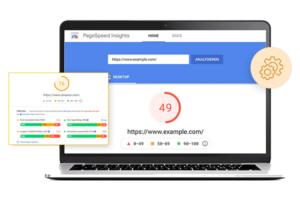
Page Speed Optimierung beschreibt den Prozess, die Ladezeit einer Website zu verbessern und Inhalte schneller für Nutzer verfügbar zu machen. Gemeint ist dabei nicht nur, wie schnell eine Seite vollständig lädt, sondern vor allem, wie schnell sie sichtbar, nutzbar und interaktiv wird.
In einer digitalen Umgebung, in der Nutzer sofortige Ergebnisse erwarten, ist Geschwindigkeit kein technisches Detail mehr, sondern ein zentraler Bestandteil von Nutzererlebnis, Suchmaschinenoptimierung und langfristigem Website-Erfolg. Langsame Seiten verlieren Besucher – oft noch bevor der eigentliche Inhalt wahrgenommen wird. Suchmaschinen reagieren ähnlich: Google berücksichtigt die Ladegeschwindigkeit und reale Nutzersignale seit Jahren als Rankingfaktor, unter anderem über die sogenannten Core Web Vitals.
Page Speed Optimierung ist deshalb kein einmaliges Projekt, sondern ein strategischer Ansatz zur nachhaltigen Verbesserung der Website-Performance.
Die Verbesserung der Website-Geschwindigkeit ist ein ganzheitlicher Prozess. Keine einzelne Maßnahme garantiert schnelle Ladezeiten – erst das Zusammenspiel mehrerer technischer und struktureller Faktoren führt zu spürbarer Performance-Verbesserung.
Bilder gehören zu den größten Dateien auf einer Website. Hochauflösende, unkomprimierte Bilder können Ladezeiten massiv verlängern – insbesondere auf mobilen Geräten. Eine saubere Page Speed Optimierung umfasst daher die Komprimierung von Bildern ohne sichtbaren Qualitätsverlust, die Nutzung moderner Formate wie WebP sowie die Auslieferung passender Bildgrößen je nach Gerät.
So wird verhindert, dass Nutzer mehr Daten laden als tatsächlich notwendig.
Viele Code-Dateien enthalten Leerzeichen, Kommentare oder nicht genutzte Code-Teile. Diese erhöhen die Dateigröße, ohne funktionalen Mehrwert zu bieten. Durch die Minifizierung von CSS, JavaScript und HTML werden diese überflüssigen Bestandteile entfernt, wodurch Dateien schneller geladen und verarbeitet werden können.
Diese Maßnahme ist technisch unsichtbar, hat aber einen direkten Einfluss auf die Website-Geschwindigkeit.
Browser-Caching erlaubt es, statische Ressourcen wie Bilder, Stylesheets oder Skripte lokal im Browser des Nutzers zu speichern. Bei wiederholten Besuchen müssen diese Dateien nicht erneut vom Server geladen werden, was die Ladezeit deutlich reduziert.
Besonders für wiederkehrende Besucher verbessert Caching die wahrgenommene Geschwindigkeit erheblich und trägt zu einem flüssigeren Nutzungserlebnis bei.
Ein Content Delivery Network verteilt Website-Inhalte auf Server in verschiedenen geografischen Regionen. Nutzer erhalten Inhalte automatisch vom nächstgelegenen Server, wodurch Ladezeiten und Latenz reduziert werden.
Für Websites mit internationaler Zielgruppe ist ein CDN ein zentraler Bestandteil effektiver Page Speed Optimierung und sorgt für eine konsistente Performance unabhängig vom Standort des Nutzers.
Auch eine perfekt optimierte Website bleibt langsam, wenn der Server zu träge reagiert. Die Server-Antwortzeit hängt unter anderem von Hosting-Qualität, Server-Konfiguration, Datenbankabfragen und serverseitigem Caching ab.
Eine schnelle Serverbasis bildet das Fundament jeder nachhaltigen Website-Optimierung und beeinflusst alle weiteren Maßnahmen positiv.
Bestimmte CSS- und JavaScript-Dateien verhindern, dass eine Seite angezeigt wird, bevor sie vollständig geladen sind. Diese sogenannten render-blockierenden Ressourcen verzögern den sichtbaren Seitenaufbau.
Durch das asynchrone Laden oder das gezielte Verschieben nicht kritischer Skripte kann der sichtbare Inhalt schneller erscheinen, was die wahrgenommene Ladegeschwindigkeit deutlich verbessert.
Nicht alle Inhalte einer Seite sind sofort relevant. Page Speed Optimierung bedeutet daher auch, die wichtigsten Inhalte – den sogenannten Above-the-Fold-Bereich – zuerst zu laden.
Selbst wenn die Seite im Hintergrund noch weitere Ressourcen lädt, entsteht für den Nutzer der Eindruck einer schnellen Website, sobald die zentralen Inhalte sichtbar und nutzbar sind.
Der Großteil des Website-Traffics erfolgt heute über mobile Geräte. Mobile Nutzer verfügen jedoch häufig über langsamere oder instabilere Internetverbindungen. Deshalb ist eine gezielte mobile Optimierung unverzichtbar.
Leichte Layouts, effiziente Skripte, responsive Bilder und reduzierte Datenmengen sorgen dafür, dass Seiten auch unterwegs schnell laden und zuverlässig funktionieren.
Eine schnelle Website verbessert nicht nur technische Kennzahlen, sondern wirkt sich direkt auf Nutzerverhalten und Geschäftserfolg aus. Schnelle Ladezeiten erhöhen die Verweildauer, senken die Absprungrate und stärken das Vertrauen in eine Marke.
Auch aus SEO-Sicht ist Page Speed Optimierung entscheidend. Suchmaschinen bevorzugen Websites, die eine gute Nutzererfahrung bieten. Schnelle Seiten lassen sich effizienter crawlen und indexieren, was langfristig die Sichtbarkeit in den Suchergebnissen verbessert.
Darüber hinaus steigert eine optimierte Ladegeschwindigkeit die Conversion-Rate. Ob Kontaktanfrage, Newsletter-Anmeldung oder Kaufabschluss – Nutzer reagieren nachweislich positiver auf schnelle Websites.
Website-Performance ist kein statischer Zustand. Inhalte wachsen, Technologien entwickeln sich weiter, Nutzererwartungen steigen. Deshalb sollte Page Speed Optimierung regelmäßig überprüft, gemessen und angepasst werden.
Der wichtigste Grundsatz dabei lautet: Geschwindigkeit ist kein Selbstzweck. Sie dient dem Menschen vor dem Bildschirm. Wer Performance als festen Bestandteil seiner Website-Strategie versteht, schafft die Grundlage für langfristigen Erfolg, bessere Rankings und zufriedene Nutzer.
We are Freelance Web Designer, driven to get your company better results online. You get strategy, design, development & marketing all under one roof.

We may request cookies to be set on your device. We use cookies to let us know when you visit our websites, how you interact with us, to enrich your user experience, and to customize your relationship with our website.
Click on the different category headings to find out more. You can also change some of your preferences. Note that blocking some types of cookies may impact your experience on our websites and the services we are able to offer.
These cookies are strictly necessary to provide you with services available through our website and to use some of its features.
Because these cookies are strictly necessary to deliver the website, refusing them will have impact how our site functions. You always can block or delete cookies by changing your browser settings and force blocking all cookies on this website. But this will always prompt you to accept/refuse cookies when revisiting our site.
We fully respect if you want to refuse cookies but to avoid asking you again and again kindly allow us to store a cookie for that. You are free to opt out any time or opt in for other cookies to get a better experience. If you refuse cookies we will remove all set cookies in our domain.
We provide you with a list of stored cookies on your computer in our domain so you can check what we stored. Due to security reasons we are not able to show or modify cookies from other domains. You can check these in your browser security settings.
These cookies collect information that is used either in aggregate form to help us understand how our website is being used or how effective our marketing campaigns are, or to help us customize our website and application for you in order to enhance your experience.
If you do not want that we track your visit to our site you can disable tracking in your browser here:
We also use different external services like Google Webfonts, Google Maps, and external Video providers. Since these providers may collect personal data like your IP address we allow you to block them here. Please be aware that this might heavily reduce the functionality and appearance of our site. Changes will take effect once you reload the page.
Google Webfont Settings:
Google Map Settings:
Google reCaptcha Settings:
Vimeo and Youtube video embeds:
You can read about our cookies and privacy settings in detail on our Privacy Policy Page.
GOMANOS
We firmly believe that the internet should be available and accessible to anyone, and are committed to providing a website that is accessible to the widest possible audience, regardless of circumstance and ability.
To fulfill this, we aim to adhere as strictly as possible to the World Wide Web Consortium’s (W3C) Web Content Accessibility Guidelines 2.1 (WCAG 2.1) at the AA level. These guidelines explain how to make web content accessible to people with a wide array of disabilities. Complying with those guidelines helps us ensure that the website is accessible to all people: blind people, people with motor impairments, visual impairment, cognitive disabilities, and more.
This website utilizes various technologies that are meant to make it as accessible as possible at all times. We utilize an accessibility interface that allows persons with specific disabilities to adjust the website’s UI (user interface) and design it to their personal needs.
Additionally, the website utilizes an AI-based application that runs in the background and optimizes its accessibility level constantly. This application remediates the website’s HTML, adapts Its functionality and behavior for screen-readers used by the blind users, and for keyboard functions used by individuals with motor impairments.
If you’ve found a malfunction or have ideas for improvement, we’ll be happy to hear from you. You can reach out to the website’s operators by using the following email
Our website implements the ARIA attributes (Accessible Rich Internet Applications) technique, alongside various different behavioral changes, to ensure blind users visiting with screen-readers are able to read, comprehend, and enjoy the website’s functions. As soon as a user with a screen-reader enters your site, they immediately receive a prompt to enter the Screen-Reader Profile so they can browse and operate your site effectively. Here’s how our website covers some of the most important screen-reader requirements, alongside console screenshots of code examples:
Screen-reader optimization: we run a background process that learns the website’s components from top to bottom, to ensure ongoing compliance even when updating the website. In this process, we provide screen-readers with meaningful data using the ARIA set of attributes. For example, we provide accurate form labels; descriptions for actionable icons (social media icons, search icons, cart icons, etc.); validation guidance for form inputs; element roles such as buttons, menus, modal dialogues (popups), and others. Additionally, the background process scans all the website’s images and provides an accurate and meaningful image-object-recognition-based description as an ALT (alternate text) tag for images that are not described. It will also extract texts that are embedded within the image, using an OCR (optical character recognition) technology. To turn on screen-reader adjustments at any time, users need only to press the Alt+1 keyboard combination. Screen-reader users also get automatic announcements to turn the Screen-reader mode on as soon as they enter the website.
These adjustments are compatible with all popular screen readers, including JAWS and NVDA.
Keyboard navigation optimization: The background process also adjusts the website’s HTML, and adds various behaviors using JavaScript code to make the website operable by the keyboard. This includes the ability to navigate the website using the Tab and Shift+Tab keys, operate dropdowns with the arrow keys, close them with Esc, trigger buttons and links using the Enter key, navigate between radio and checkbox elements using the arrow keys, and fill them in with the Spacebar or Enter key.Additionally, keyboard users will find quick-navigation and content-skip menus, available at any time by clicking Alt+1, or as the first elements of the site while navigating with the keyboard. The background process also handles triggered popups by moving the keyboard focus towards them as soon as they appear, and not allow the focus drift outside it.
Users can also use shortcuts such as “M” (menus), “H” (headings), “F” (forms), “B” (buttons), and “G” (graphics) to jump to specific elements.
We aim to support the widest array of browsers and assistive technologies as possible, so our users can choose the best fitting tools for them, with as few limitations as possible. Therefore, we have worked very hard to be able to support all major systems that comprise over 95% of the user market share including Google Chrome, Mozilla Firefox, Apple Safari, Opera and Microsoft Edge, JAWS and NVDA (screen readers).
Despite our very best efforts to allow anybody to adjust the website to their needs. There may still be pages or sections that are not fully accessible, are in the process of becoming accessible, or are lacking an adequate technological solution to make them accessible. Still, we are continually improving our accessibility, adding, updating and improving its options and features, and developing and adopting new technologies. All this is meant to reach the optimal level of accessibility, following technological advancements. For any assistance, please reach out to
